
Blog posts tagged "Smart Displays"

We now deliver Ubuntu Frame, a display server for embedded devices that makes it easy for developers to deploy their graphics applications on Linux. Ubuntu Frame simplifies the development of embedded displays such as digital signage solutions, kiosks, IoT devices, robots, and more. In this blog, we will discuss the migration from mir-kio

We are glad to announce the release of Mir 2.7 — our open source and secure display server for building Wayland-based shells. Mir provides a set of libraries and a Wayland compositor with integrated window management. This new release brings to you an idle timeout and on-screen keyboard (OSK) support for Qt applications. This blog
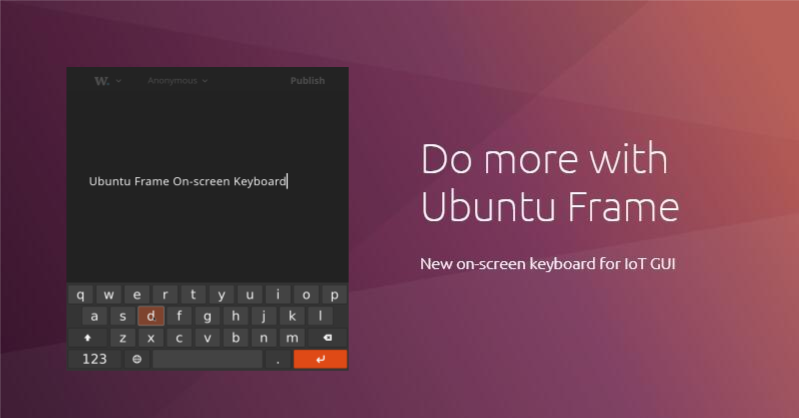
Isn’t it nice when things just work? When you don’t have to worry about every single detail but only about what creates value? Imagine that you are building a digital kiosk using a touch screen. To log in, users need to input their credentials. Do you want to spend time integrating an on-screen keyboard or
With another release of Mir, we have prepared a new blog with the a roundup of the product’s newest features. Mir is our flexible display server that provides a set of libraries and a Wayland compositor for building Wayland-based shells with integrated window management. Today, Canonical is launching Mir 2.5, a new version of Mir
Another cycle brings another release of Mir, with new features and new innovative use cases. For those of you new to Mir, our flexible display server provides a set of libraries and Wayland compositor for building Wayland-based shells with integrated window management. It is widely used in different IoT applications, including digital sig
mir was designed to help systems on chips (SoCs) to reduce their development and maintenance investment in Linux graphics drivers. Today, mir works across the whole stack of devices, from desktop computers, tablets and phones, to IoT devices. You can find mir in industry GUI applications to smart mirrors, enabling developers to design inn

First impressions count, and making sure your users can see and interact with your product in a seamless way, means selecting the right smart display technology. Read on to find out what hardware features are needed to make a reliable smart display, and why smart displays run Ubuntu Core. Medical imaging to smart displays: There’s